
Piercing-Friendly Earbuds: How to Wear Audio Devices With an Ear Stack
An ear-zone compatibility map and a contact-first, styling-second process for wearing earbuds alongside piercings, earrings, and layered ear stacks.
Whether earbuds are compatible with your piercings depends on where the earbud makes contact with your ear and whether that contact overlaps with any of your existing jewelry. It does not depend on whether the product is labeled “open-ear,” “ear cuff,” or “clip-on” — those terms describe the audio format, not the specific zone of the ear the device occupies. The process is: check for physical conflict first, then style the combination second. If the earbud presses against, rubs, or hooks onto any piercing or earring, no amount of styling will make it comfortable. Start with contact. Finish with aesthetics. For styling the stack once the hardware clears, see cyberpunk ear cuffs with open-ear audio.
What “piercing-friendly” should actually mean
No earbud is universally piercing-friendly. The phrase should mean one specific thing: this device does not press on, rub against, or hook onto my piercings in their current positions, verified by my own trial wear. It is a result of individual testing, not a product certification.
Two people with the same earbud and the same piercing type (say, a helix stud) can have different experiences because their piercings sit at slightly different heights on the cartilage. One person’s helix stud clears the earbud’s rear arm by three millimeters; the other’s sits exactly where the arm rests. Same product, same piercing name, different outcome.
This is why buying based on a product label alone — “piercing-compatible,” “ear-stack-friendly” — is unreliable. The only test that matters is the one you do on your own ear, with your own jewelry, in the configuration you actually wear. For a detailed breakdown of how different ear cuff and clip-on earbuds are structured and where they grip, see our ear cuff earbuds fit guide.
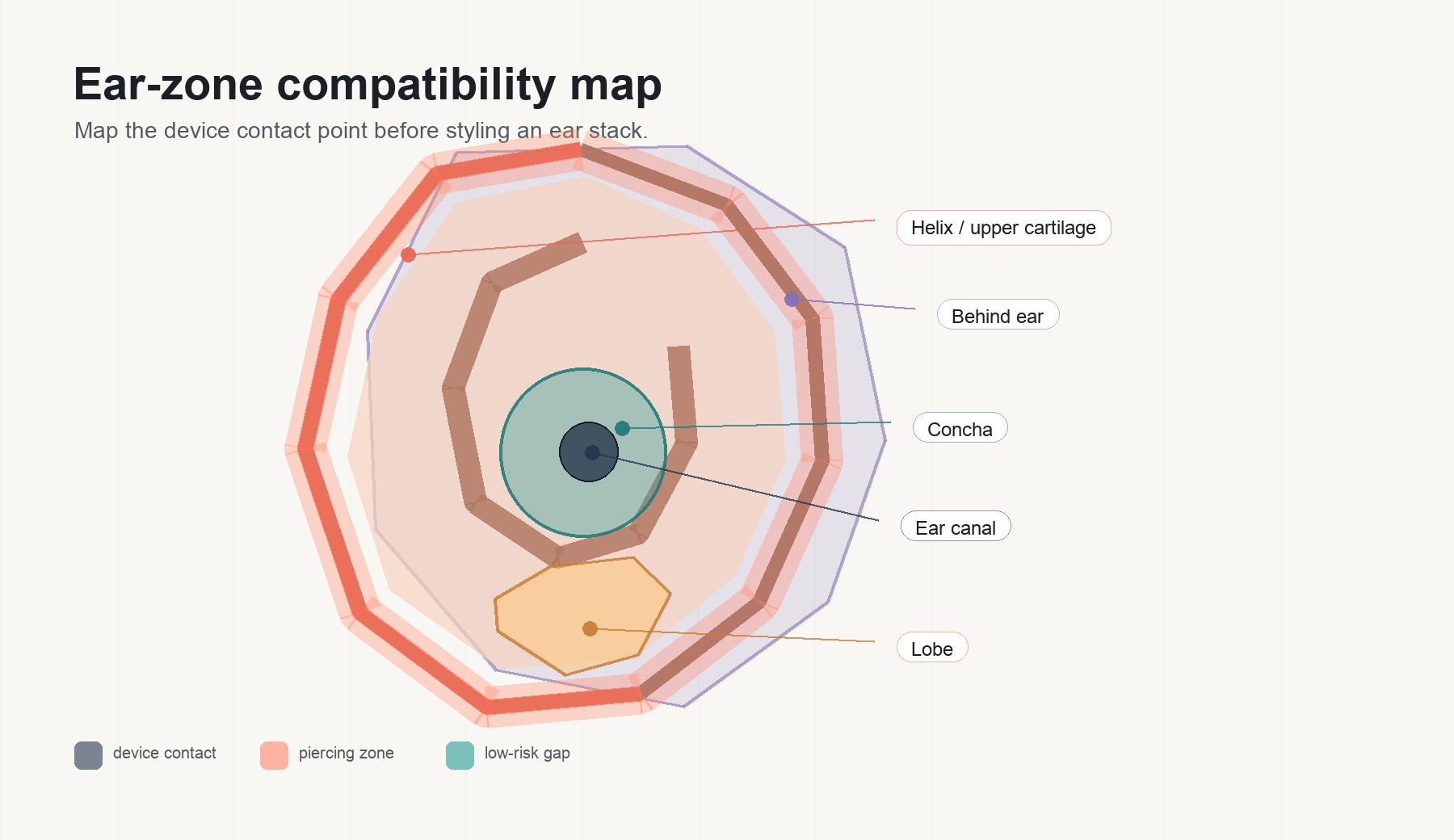
Ear-zone compatibility map
Before buying, map the earbud’s contact zones against your piercing positions. Most earbuds occupy one or two of the five zones below. Most piercings sit in one. Conflict happens when they overlap.
| Ear zone | Earbud formats that use this zone | Piercings / jewelry that may conflict | What to check before buying |
|---|---|---|---|
| Ear canal | In-ear (sealed), semi-in-ear | Tragus studs, daith rings, inner conch rings | Whether the ear tip or nozzle presses against the tragus jewelry when fully inserted |
| Lobe | Rarely occupied by earbuds | Lobe studs, hoops, drops, gauges | Most earbuds leave the lobe free — this is the safest zone for coexistence |
| Helix / upper cartilage | Ear-hook earbuds, some ear cuffs (rear arm) | Helix rings, helix studs, industrial bars, forward helix | Whether the hook or rear arm crosses the piercing line — check the side-profile product photo |
| Concha / anti-tragus | Some clip-on, some ear cuffs (front arm) | Conch studs, anti-tragus rings | Whether the clip’s front arm sits in the concha bowl where your jewelry already is |
| Behind ear | Ear-hook tails, ear cuff rear arms, neckband tips | No piercings, but glasses temple arms live here | Whether the rear arm and your glasses temple create a pressure sandwich |
How to use this table: Find the earbud format you are considering. Look at which zone it occupies. Check whether you have a piercing in that zone. If yes, that is your conflict risk — test it before committing. If the earbud only uses zones where you have no jewelry, conflict is unlikely.
How to test earbuds with an existing ear stack — contact first
This process assumes your piercings are fully healed and comfortable. If any piercing is new, swollen, tender, or still in the healing window, do not add an earbud to that ear — consult your piercer first.
-
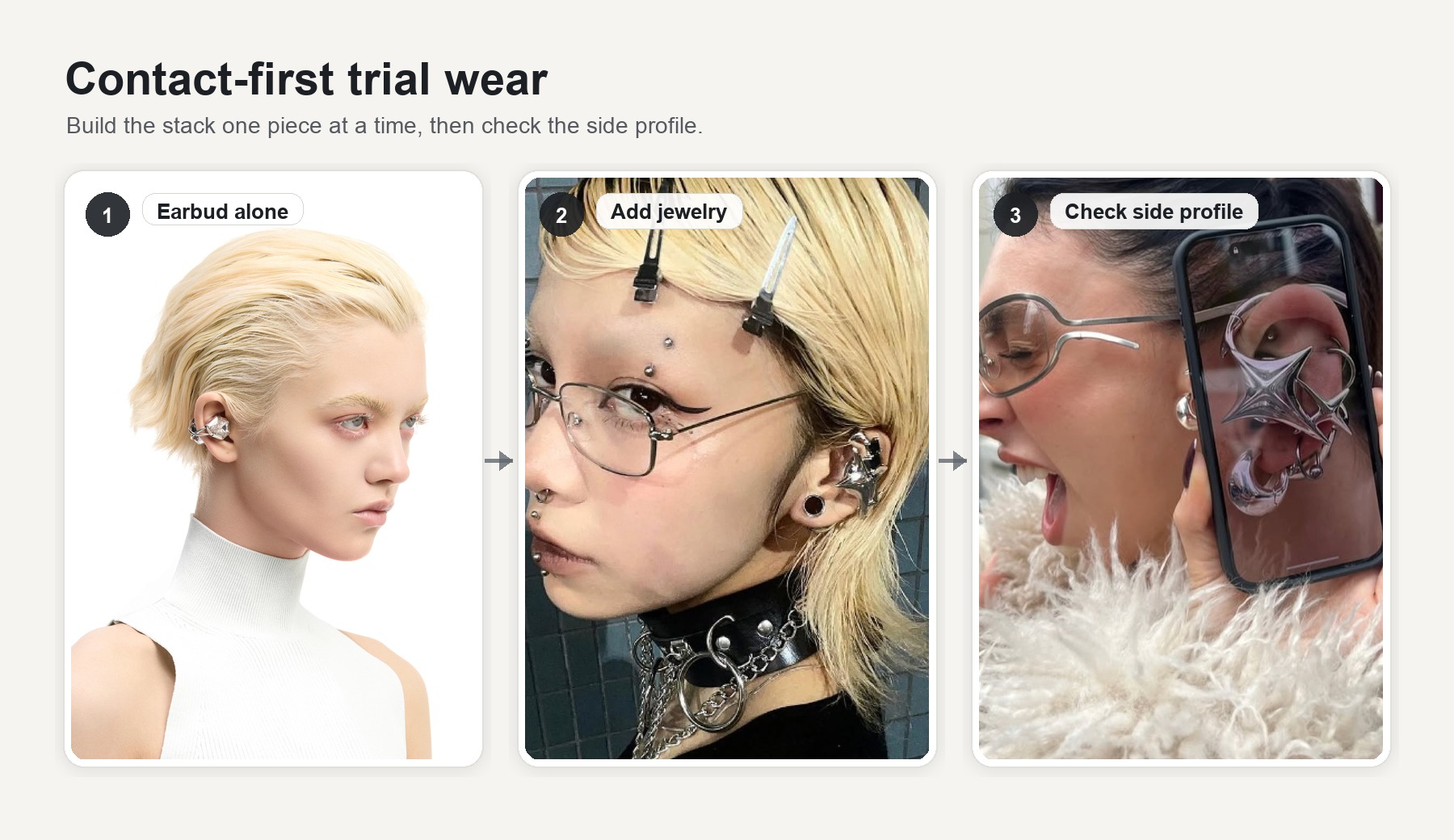
Put the earbuds on with no jewelry. Confirm the earbud sits comfortably and audio is clear. This is your baseline — if it is already uncomfortable without jewelry, adding earrings will not help.
-
Add your jewelry one piece at a time, starting closest to the earbud. If your earbud sits on the upper cartilage, start with any helix jewelry before adding lobe pieces. The goal is to isolate which specific piece, if any, creates contact.
-
Check for static conflict. With everything in place, hold still for thirty seconds. Feel for pressure, pinching, or metal-on-metal contact. Look in a mirror or take a side-profile photo to see whether any piece is visibly compressed.
-
Check for dynamic conflict. Speak a few sentences, chew, nod, walk across the room, and turn your head side to side. Some conflicts only appear during jaw movement or head tilts.
-
Apply the stop rule. If any step produces sustained pressure, an audible rubbing or clicking sound, a feeling of one piece hooking onto another, or pain at a piercing site — stop. Remove either the earbud or the conflicting jewelry. Do not push through discomfort; it will worsen over hours, not improve.
Styling second — how to wear earrings with earbuds without visual crowding
Once physical compatibility is confirmed, the question shifts from “can they coexist?” to “do they look intentional together?” An ear with five objects on it can read as a curated ear stack or as a cluttered accident. The difference comes down to four principles.
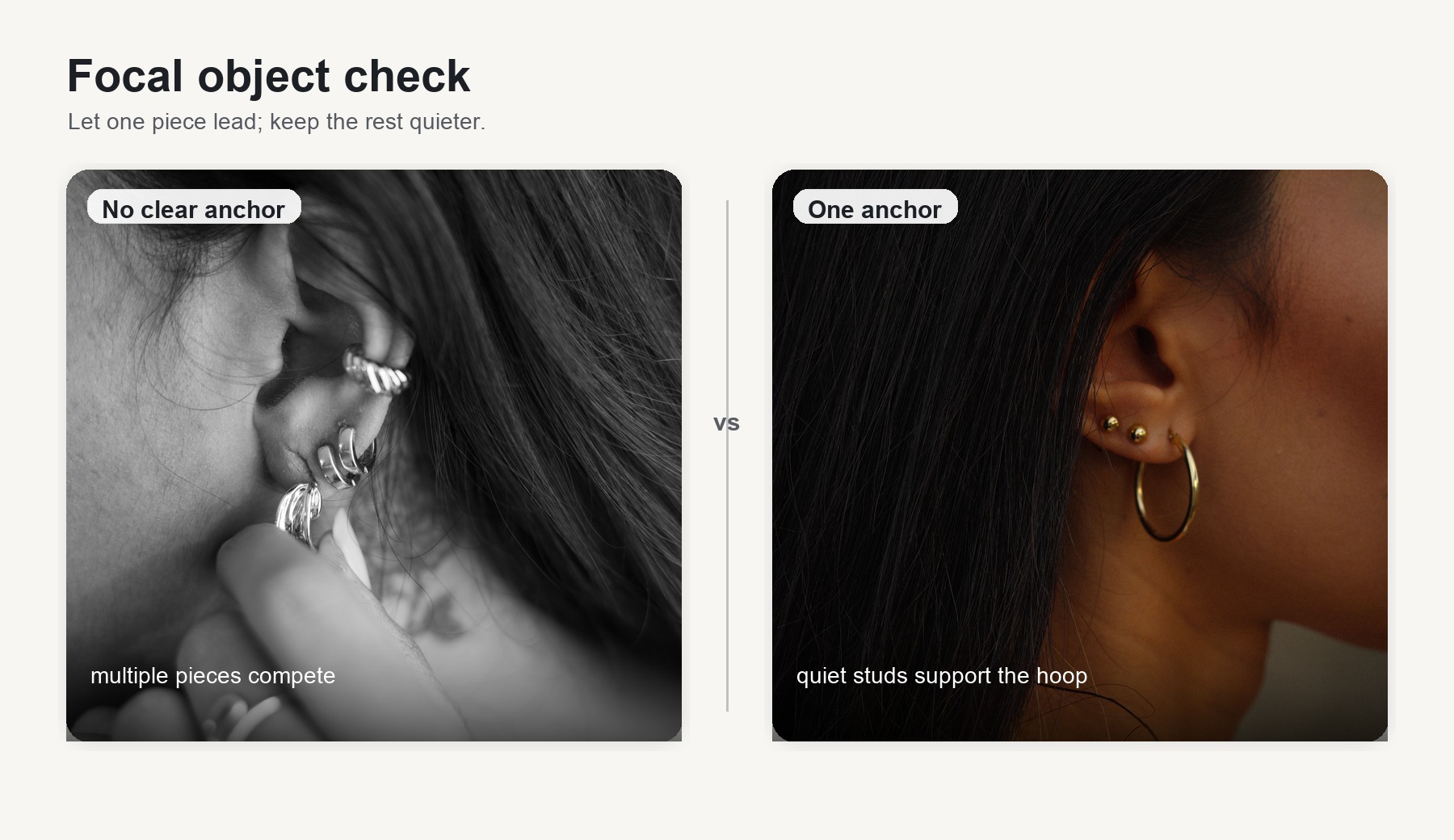
Pick one focal object
Every ear stack has a visual anchor — the largest, brightest, or most unusual piece. When you add an earbud, decide whether the earbud or your existing statement earring is the anchor. Competing anchors create visual noise. If the earbud is the louder object (sculptural shape, gemstone surface, large silhouette), reduce the surrounding jewelry to quieter pieces. If a statement earring is your anchor, choose an earbud that recedes — smaller, matte, or skin-toned.
Repeat one metal tone
Silver earbud with silver earrings. Gold earbud with gold earrings. Mixing metal temperatures across the ear reads as accidental unless the rest of the outfit deliberately mixes metals too. For a deeper breakdown of how metal finishes — gemstone, chrome, mineral — interact with outfits and hair, see our finish-matching guide.
Keep negative space around the audio device
The earbud needs at least one empty piercing position around it — a small gap of bare ear between the device and the nearest earring. This gap is what makes the combination look layered rather than crowded. If the earbud is on the concha and you have a helix ring directly above it and a lobe stud directly below, the ear is full. Remove one adjacent piece or swap it for something smaller.
Use asymmetry deliberately
You do not need the same stack on both ears. Wearing the earbud on one side and a fuller jewelry stack on the other is a legitimate styling choice — and it avoids the crowding problem entirely. If you go asymmetric, make it visually obvious. A subtle difference reads as a mistake; a confident one reads as a decision.
For complete outfit-level styling — how to integrate ear cuffs into city walks, techwear fits, and glasses-wearing routines — see our full ear cuff and open-ear audio styling guide. For ear stack jewelry brands that are designed for layering, see sculptural ear stack options.
One object for two jobs, or keep them separate?
If the earbud itself reads as a piece of ear jewelry — not just a decorated device — it can potentially occupy an earring slot and an audio slot at the same time. This reduces the total number of objects on the ear, which simplifies the crowding problem. But it does not work in every situation.
| Situation | Combine or separate? | Why |
|---|---|---|
| Daily errands, casual outings | Usually combine | The earbud reads as an earring to anyone who is not inspecting it. One piece, two functions, less to carry. |
| Existing 3+ piece ear stack | Combine with adjustment | The earbud replaces one earring in the stack rather than adding on top of it. You may need to remove the piece closest to where the earbud sits. |
| Formal events | Usually separate | Formal contexts often require matched jewelry sets. An earbud, however well-designed, may not carry the same social weight as a curated formal earring. |
| Exercise or commuting | Separate | Reduce total objects on the ear to minimize snag and drop risk. Wear the earbud alone; add jewelry afterward. |
| Content creation / selfies | Depends on the shot | For close crops, the earbud is the focal point — remove competing jewelry. For wider shots, a styled stack adds visual interest. |
For a scene-by-scene breakdown of when a jewelry-style earbud can serve both roles, see the occasion compatibility table in our earbuds-as-earrings guide.
A visible clip-earphone example
OFHUNGER makes open earphones built as ear jewelry — wearable tech designed as everyday accessories. They are useful as a compatibility-check example, not because they are guaranteed piercing-friendly, but because their clip-on structure and jewelry-scale proportion make the contact zone easy to identify.
The Electronic Gems Silver-White Zircon clips onto the ear’s outer cartilage edge with a front arm (driver side, sits in the concha area) and a rear arm (behind the ear). Piercings to check against: conch studs (front arm overlap), helix rings near the clip point (possible contact), and any upper-cartilage industrial bars. Lobe piercings are below the wearing zone and typically unaffected. The silver metal tone matches silver ear stacks without introducing a temperature clash. At USD 310, it sits in the same range as a mid-tier statement earring — which is relevant because it may occupy a statement earring’s slot in the stack.
The NEBULA in Silver has a larger sculptural silhouette, which means it takes up more visual space on the ear. When the earbud itself is the loudest object, the negative-space rule becomes more important: reduce surrounding jewelry to thin rings or small studs, or clear the adjacent positions entirely. It is a useful demonstration of why visual volume and physical compatibility are two separate questions — a piece can clear every contact check and still crowd the ear visually.
Both are shown on real wearers on the OFHUNGER Style page. Those community photos are more useful than product renders for judging how the pieces interact with different ear shapes, piercing layouts, and jewelry stacks. For a structured framework to judge whether any product genuinely reads as jewelry on the ear, see the five-part jewelry earbud test.

Reminder: No product photo — including these — substitutes for testing on your own ear. Your piercings, your cartilage thickness, and your specific jewelry positions are the only variables that determine physical compatibility.
FAQ
Can you wear earrings with earbuds at the same time? Yes, in most cases. The key is whether the earbud and the earring occupy the same zone of the ear. If they do not physically overlap, they can coexist. Use the ear-zone compatibility map above to check, then follow the five-step contact test with your actual jewelry before wearing the combination for a full day.
Which piercing positions are most likely to conflict with ear cuff earbuds? Conch piercings and upper-helix piercings carry the highest conflict risk with ear cuff and clip-on earbuds, because the earbud’s front arm often rests in the concha and its rear arm passes through the upper-cartilage zone. Tragus piercings conflict primarily with in-ear earbuds that press against the tragus on insertion. Lobe piercings rarely conflict with any earbud format, since most earbuds sit above the lobe.
Which earbud format leaves the most room for an ear stack? In-ear earbuds occupy only the canal and leave the entire outer ear free — the most room for jewelry. However, they may press against tragus or daith jewelry. Open-ear clip-ons occupy the outer cartilage but leave the canal and the lobe free. The best format depends on where your piercings are, not on which format is “most open” in general.
Can I use this guide for a new or healing piercing? No. This guide assumes all piercings are fully healed and pain-free. Adding any pressure, friction, or foreign object near a healing piercing risks irritation, migration, or infection. If your piercing is still in its healing window, wait until it is fully settled before testing earbud compatibility. Consult your piercer or a medical professional if you are unsure.